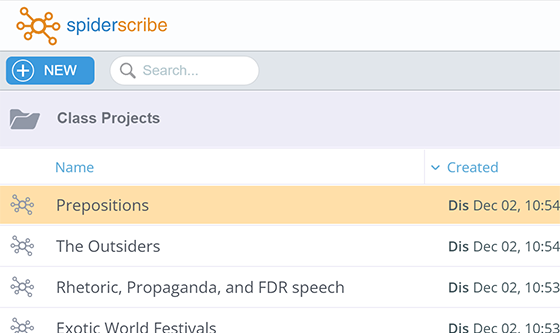
We added the List View to the maps navigation screen, as an alternative to the Thumbnails View.
Drag-and-drop still works the same for moving the maps around.

We added the List View to the maps navigation screen, as an alternative to the Thumbnails View.
Drag-and-drop still works the same for moving the maps around.

Today we are celebrating our 10th anniversary!
For a decade now we have been helping businesses and schools around the world to brainstorm their ideas.
A year ago we released the brand new version of SpiderScribe that is just as easy to use.
We would like to thank all our users for their ongoing support! You can find us on Facebook and Twitter.
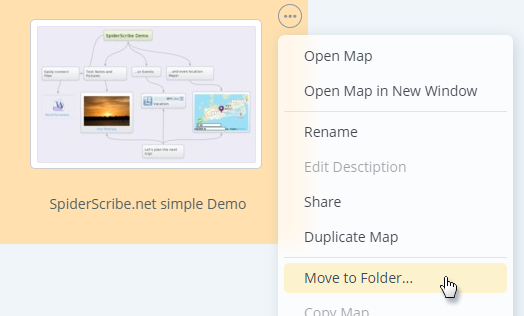
We just added the ability to move maps between folders.
The calendar stencil was updated, as well as “my account” and “users” views.
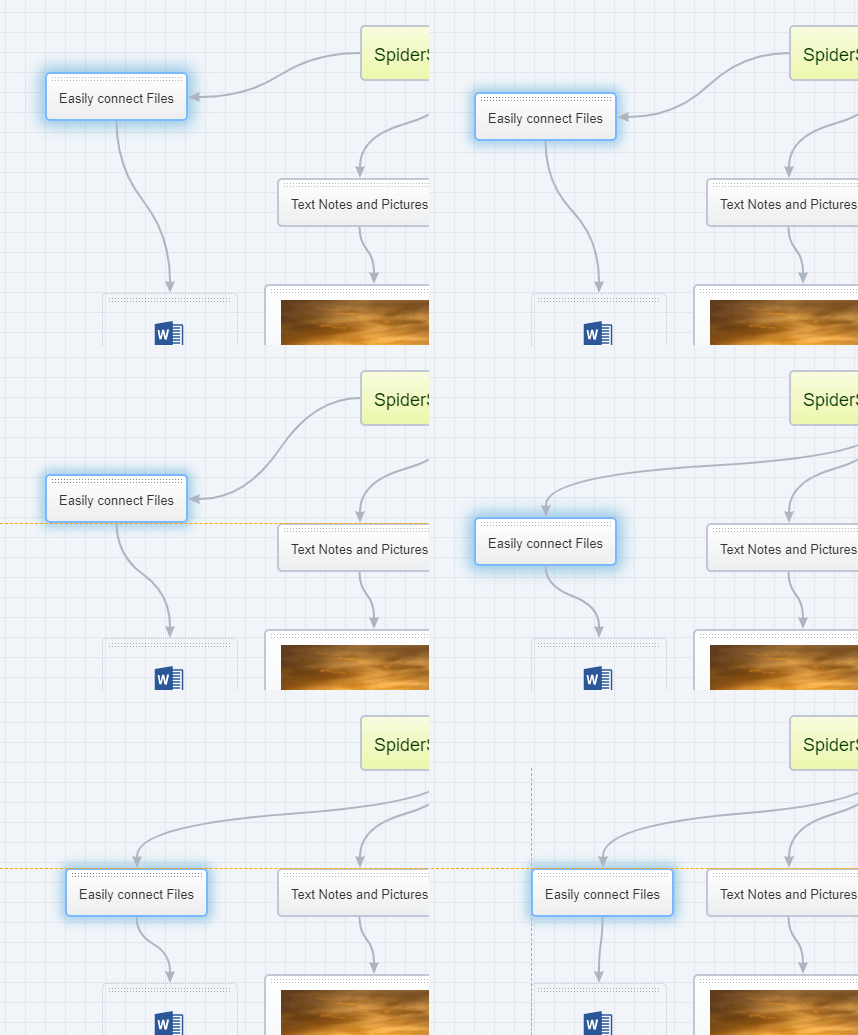
Want to make your maps neater? Now you can enable auto-snap to align your stencils with each other or the grid.
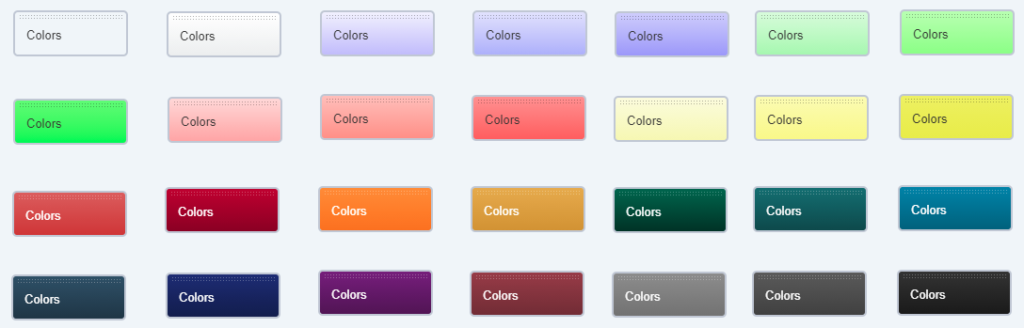
We just added new stencil colors — the darker ones. Text colors were added as well. Give it a try!
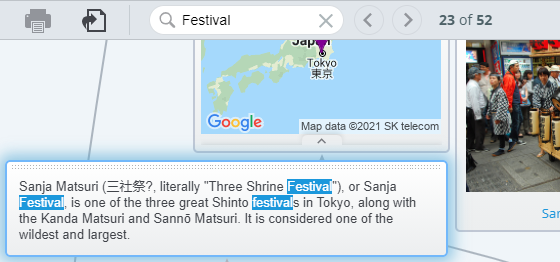
Search inside maps is now available!
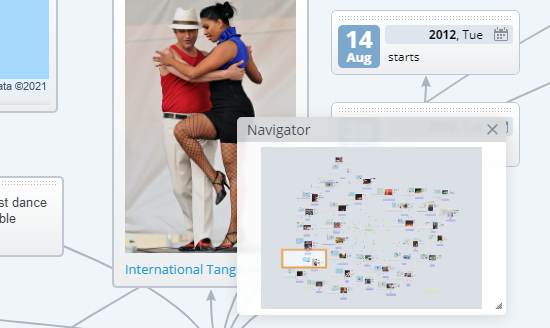
We re-introduced in our new version of SpiderScribe the Navigator panel — it allows you to browse the large maps easier.
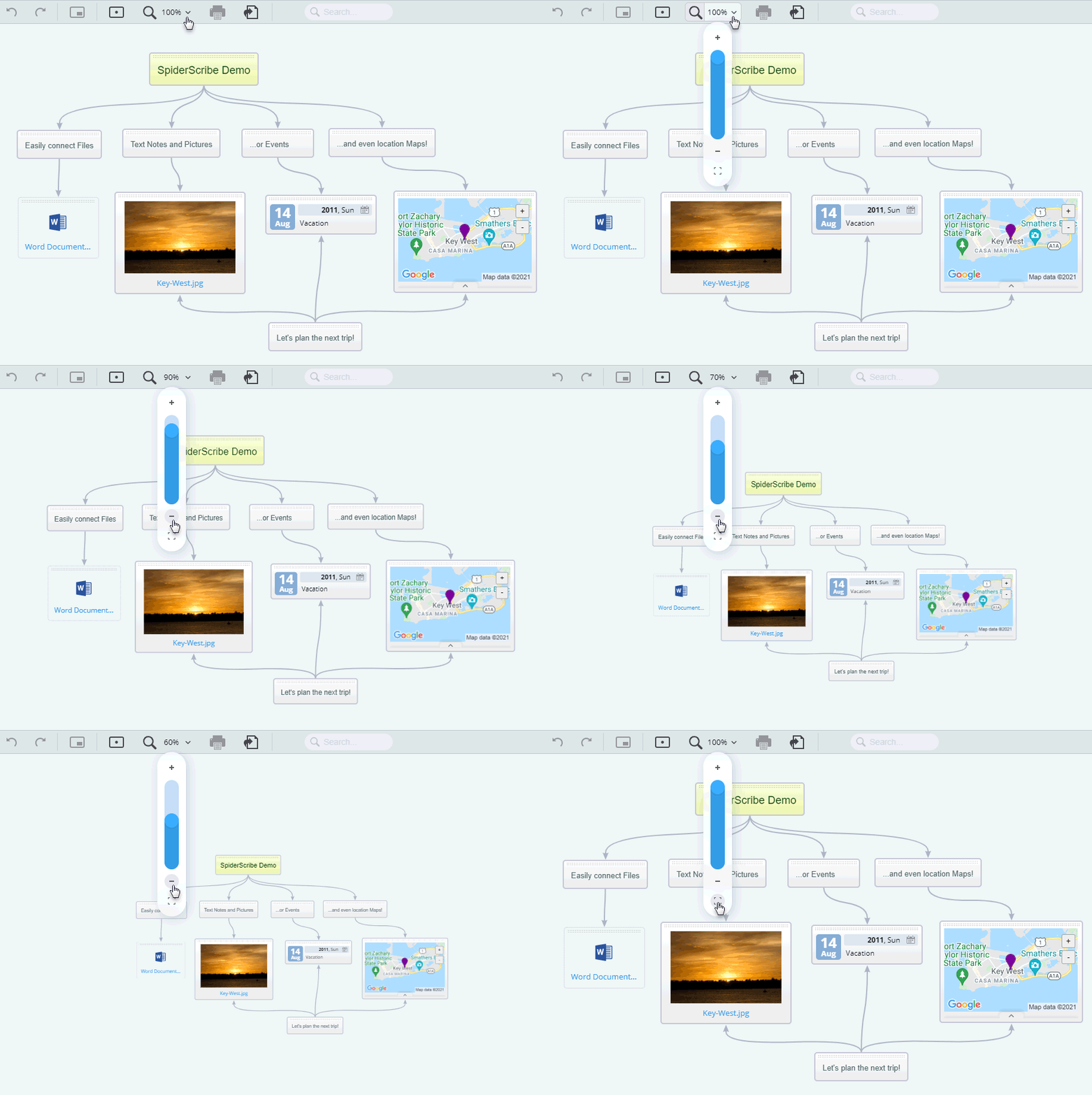
We just added the Zoom Map feature to make it easier to navigate large maps (the shortcut for it is CTRL +/-).
And we added the “Duplicate” feature to the stencil’s menu (you can also copy stencils by selecting them and using copy-paste, even between maps, with CTRL+C, CTRL+V).
We are working right now on the Navigator panel, to help you navigate large maps even easier.
We just added the ability to easily duplicate maps. This allows you also to make your own copies of the maps that you can not edit, and modify them.
We also added support for SVG images and made other improvements.
We keep working on our new version of SpiderScribe and today we just released a big update.
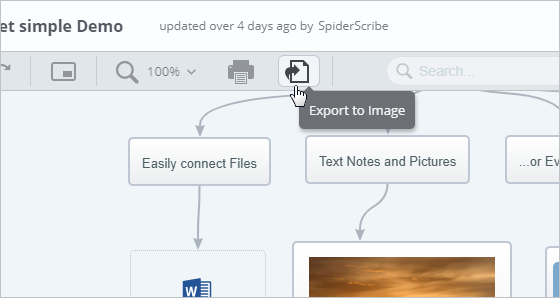
Now you can export your maps as images. Also, you can drag existing connectors between stencils to re-link them to different stencils or delete. The issues with the order of overlapping stencils were addressed.